
Make night shifts work for you.
Less guesswork about sleep, energy and life on night shifts. Try the tools, find useful guidance and build a routine around your hours.








What would make night shifts a little easier?
Sleep in the daytime.
Work on darkness, noise and a routine that helps you switch off.
Explore sleep and recoveryGet through the tired hours.
Explore caffeine timing, light and reminders around your shift.
Explore energy at workEat well at work.
Build meals around what you can pack, store and heat.
Explore food for workMake life at home easier.
Coordinate quiet time, responsibilities and plans with the people around you.
Explore life at homeWhen your week changes.
Explore rotating shifts, days off and plans that are still taking shape.
Explore changing shiftsNotice how you’re doing.
Keep track of sleep quality, energy and mood over time.
Explore wellbeingSupport for your shifts.
And the life around them.
Tools and guidance for sleep, work and changing plans.
Get the rest you need
Even when the rest of the world is awake.
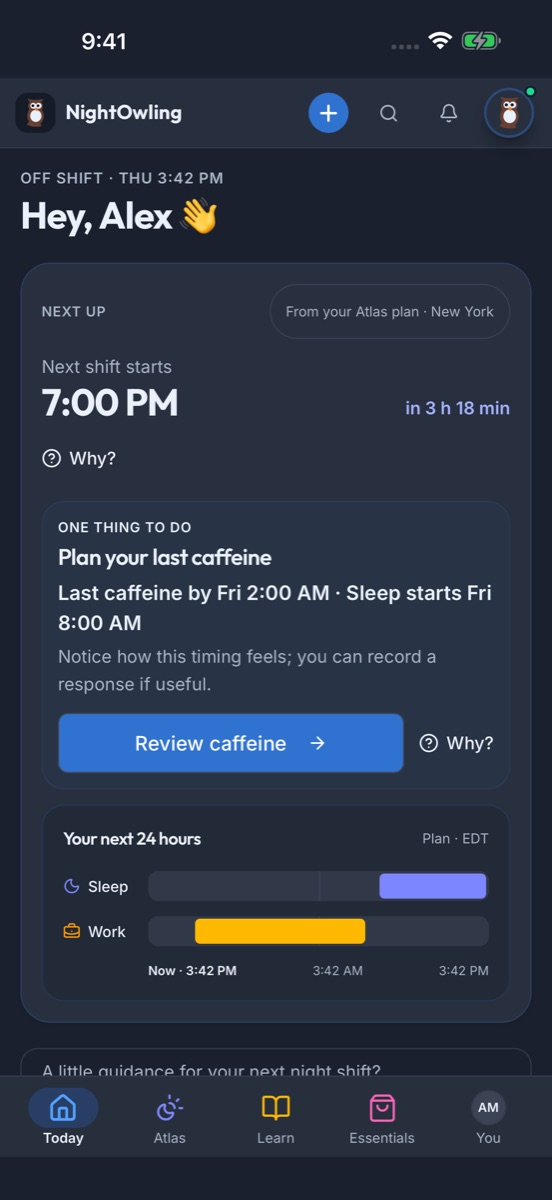
Find sleep windows around work, travel and life at home. Adjust as your week changes, explore days-off options, and make daytime sleep easier with Essentials.
- Sleep Schedule Builder
- Days off planning
- Essentials
Get through work
Help for the hours you’re there.
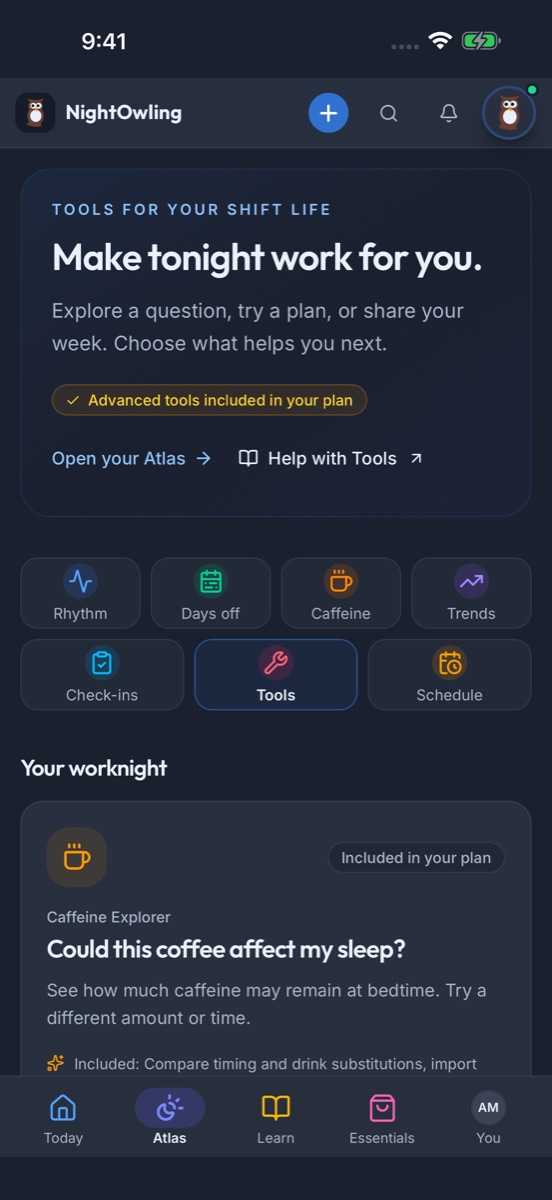
Build meals you can bring, store and heat. Explore caffeine timing and brighter or dimmer moments around your planned sleep, with reminders you choose.
- Caffeine Explorer
- Meal & Packing Builder
- Your reminders
When plans change
A changing week needs room to adjust.
Some weeks keep changing with rotating shifts, overtime or a schedule that isn’t settled yet. Explore options for the dates you know, then update your day when work or home life changes. Keep your plans separate from what actually happened.
- My day changed
- Circadian Atlas
- Premium: compare dated plans
Life outside work
Make space for the rest of your life.
Share selected work and quiet times with people at home. Keep an eye on sleep quality, energy and mood, find a useful idea in Learn, or build a setup that makes everyday life easier.
- Share my week
- Check-ins & Learn
- Essentials
Example app screens
There’s more to nights than a sleep chart.
Some days you want to understand your body clock. Other days you need a meal to take to work, a quieter sleep space or a way to explain your week at home.
Explore all app features
See how the pieces fit together.
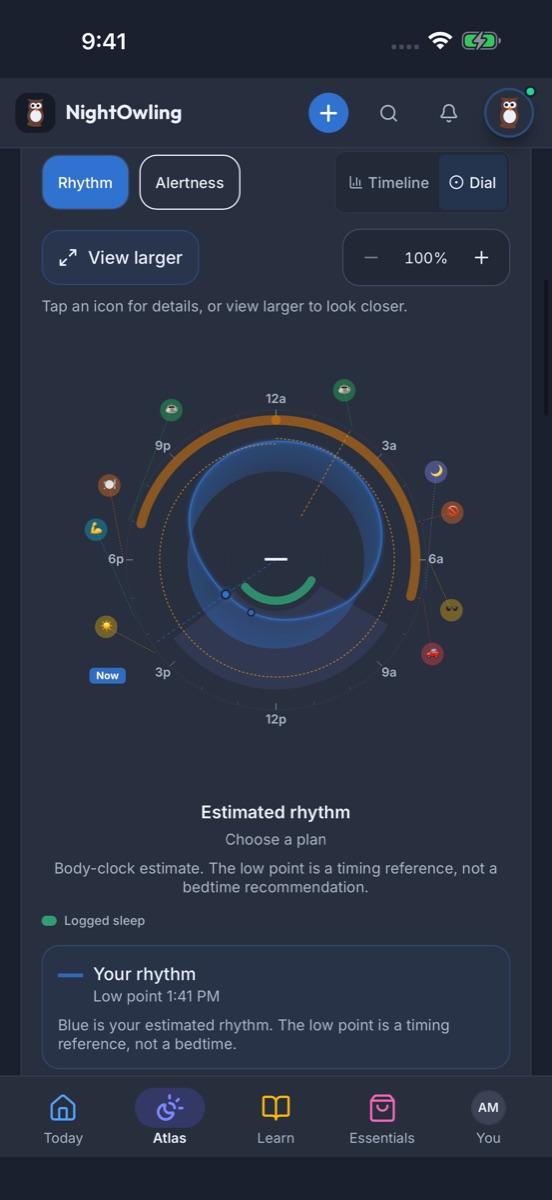
Shifts, sleep, light, caffeine and meals in one dial or timeline. See an estimated rhythm and tap a marker for the detail behind it.
Explore the app Learn
Night-shift know-how, one useful idea at a time.
Short expert videos, quick tips, guides and courses, with ideas picked for your nights. Save what you want to come back to.
Explore the Learning Hub
Build a setup that works for you.
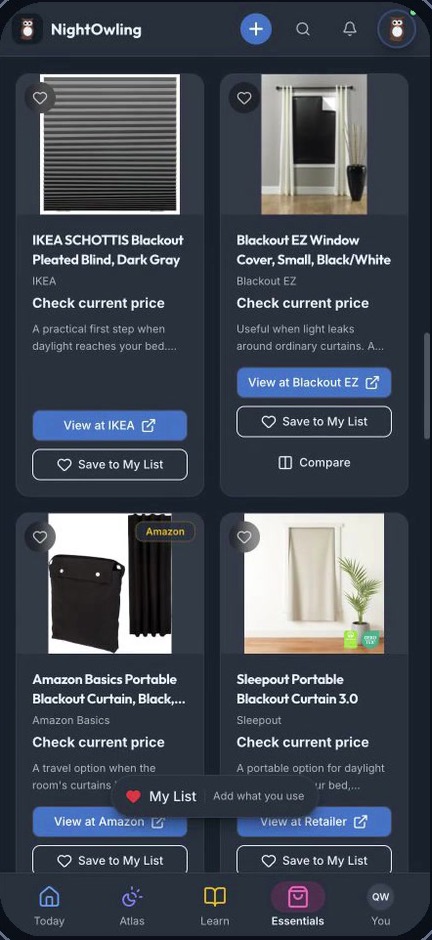
Options for darkness, noise, temperature and food. Compare a few, keep My List and count what you already own.
Explore EssentialsHelp home understand your work and quiet times.
Preview selected work and quiet times, then share a link with someone at home. Stop it when you choose.
Look back at how you’ve been feeling.
Rate sleep quality, energy and mood, then look back at the trend. Turn on only the reminders you want.
 NightOwling runs the calculation
Your favorite AI.
Connected to NightOwling.
ChatGPT, Claude, Gemini or another compatible AI assistant. Bring NightOwling’s tools and the context you choose into the conversation.
Explore AI connectionsWherever your night shift happens.
Different workplaces, changing schedules and responsibilities beyond work.
- Utilities & energy
- Aviation & airports
- Healthcare & hospitals
- Public safety & emergency services
- Transportation, logistics & warehousing
- Manufacturing & industrial operations
- Hospitality & hotels
- IT infrastructure & data centers
Free tools for your next shift.
Start with what you need.
Free
Manual logs, the basic Atlas, planning tools, starter learning and everyday support.
Premium
Personal planning, deeper comparisons, saved routines and a longer view of your records.
Who is NightOwling for?
People who work nights, rotating or irregular shifts: starting your first nights, years into them, or moving between shifts and days off. It’s built around the hours you actually work and the life around them, including family, care and appointments.
What does NightOwling actually help me with?
More than sleep. Plan when to sleep, eat and have caffeine around your shifts, log what happened, and see it together in the Circadian Atlas. You can also find options for a darker, quieter sleep space, pick up tips from short videos and guides, and show people at home when you’re working or sleeping.
Do I need a wearable?
No. You can start with your shift schedule and quick manual logs for sleep, caffeine, meals and light, and the basic planning tools work without any device.
When can I start using the app?
New accounts currently need an invitation or eligible workplace access. Public signup opens when NightOwling launches. Invited users can use NightOwling in a phone or computer browser.
Supporting a team that works nights?
Workshops & Training, the NightOwling App and Essentials.
Get app launch updates.
We’ll email you when the app opens to everyone.
"*" indicates required fields