
NightOwling app for teams
Support for your people.
Between every shift.
Put planning tools, learning and everyday guidance within reach of your night and rotating-shift workforce.
 Life on nights.
In one place.

Actual app screens with example data.
The whole app, in view
A whole life on nights.
More ways to support it.
Explore the tools, connections and everyday support employees can use. Each group opens to the features inside.
01Your day. Your rhythm.Today · Atlas · changing schedules
- My Shift Life brings shifts, rotations, the commute and personal commitments into the plan.
- Today and My day changed keep the day in front of you in view.
- Atlas offers dial and timeline views, with Rhythm and Alertness, source details and trends.
- Days-off Flip Plan compares staying on nights, a partial change or a full switch.
- Save scenarios, compare plans and return to a routine as the week changes.
02Six planning toolsSleep · caffeine · meals · light · chronotype
- Caffeine Explorer.
- Sleep Schedule Builder.
- Meal & Packing Builder.
- Light Planner.
- Sleep Shortfall.
- Chronotype Quiz.
03Log, scan and see the contextSleep · drinks · food · light · check-ins
- Quick logs for sleep, caffeine, meals and light.
- Barcode lookup for packaged food and drinks, with portions and ingredients.
- Save recipes, plan meal preparation and build a packing list across shifts.
- Camera or phone-sensor light estimates, with photopic lux and modeled melanopic EDI.
- Sleep, energy and mood check-ins, with longer history in Premium.
04Connect the contextDevices · calendars · ChatGPT · Claude · Gemini
- Apple Health on iPhone and Health Connect on Android.
- Phone and watch sleep, activity and heart-rate records through those services, with the employee’s chosen permissions.
- Calendar files, iCalendar subscriptions and the iPhone app’s Apple Calendar connection.
- Review imports, resolve schedule conflicts and manage connected sources.
- Connect NightOwling with ChatGPT, Claude, Gemini or another compatible AI assistant. Bring planning tools and the context employees choose to share into their AI conversations. Private preview.
05Learn and find what helpsFor You · Flip · courses · Essentials
- Short videos, tips, guides, reports and courses.
- For You discovery and the swipeable Flip learning feed.
- Save useful ideas and return to available workshops.
- Browse Essentials, compare products and build My List.
- Keep track of solutions already owned and habits already used.
06Life around the shiftSharing · reminders · privacy · support
- Share my week: preview selected work and quiet times, then create, extend or stop a link.
- Wellness reminders, wind-down timing, quiet windows and pause controls.
- Check-ins and a look back at personal patterns.
- Help, account controls and data export or deletion requests.
- Manage workplace access or an individual plan.
See it in practice
Useful for the next shift.
And the days around it.
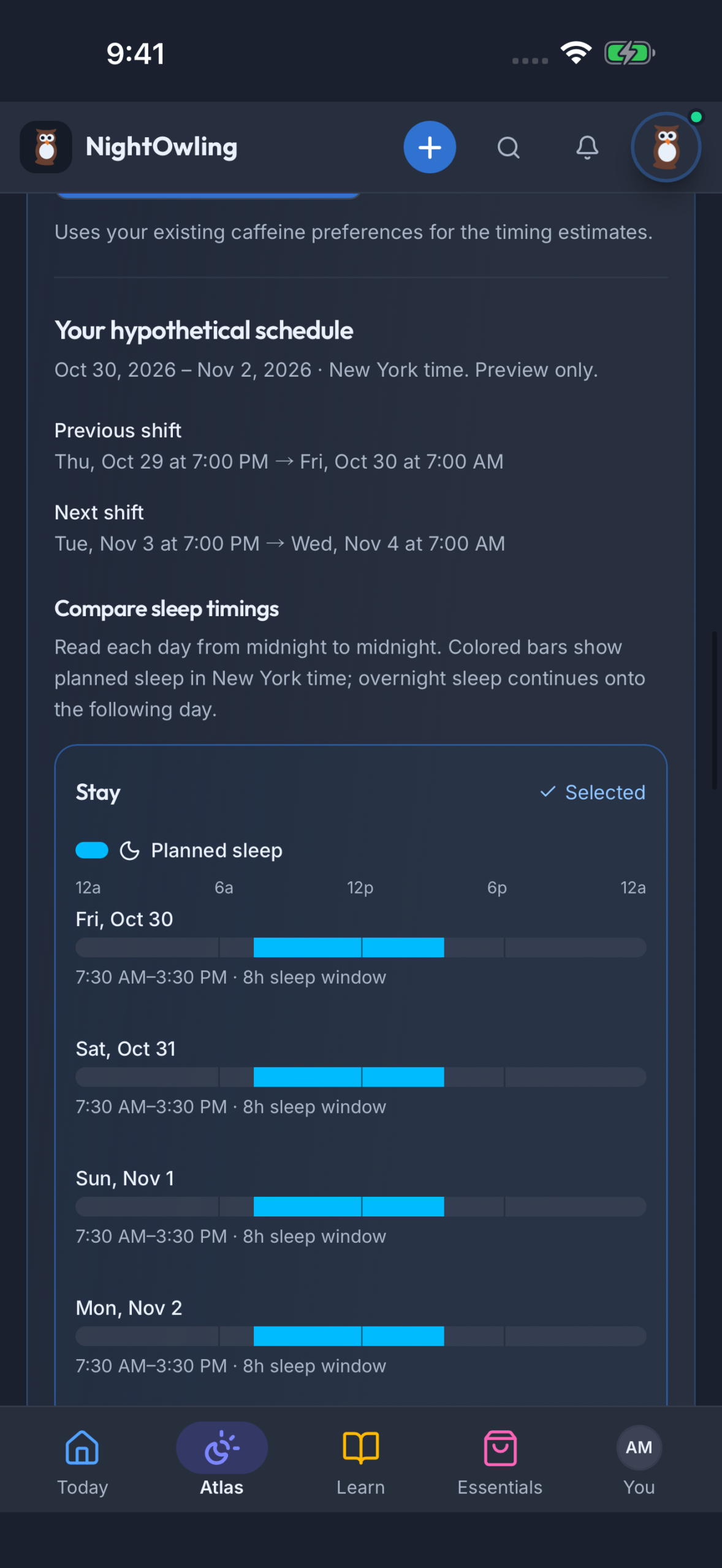
Days off. A different rhythm.
Compare ways to move between night shifts and days off, with dated sleep windows around the previous and next shift.
Explore changing schedules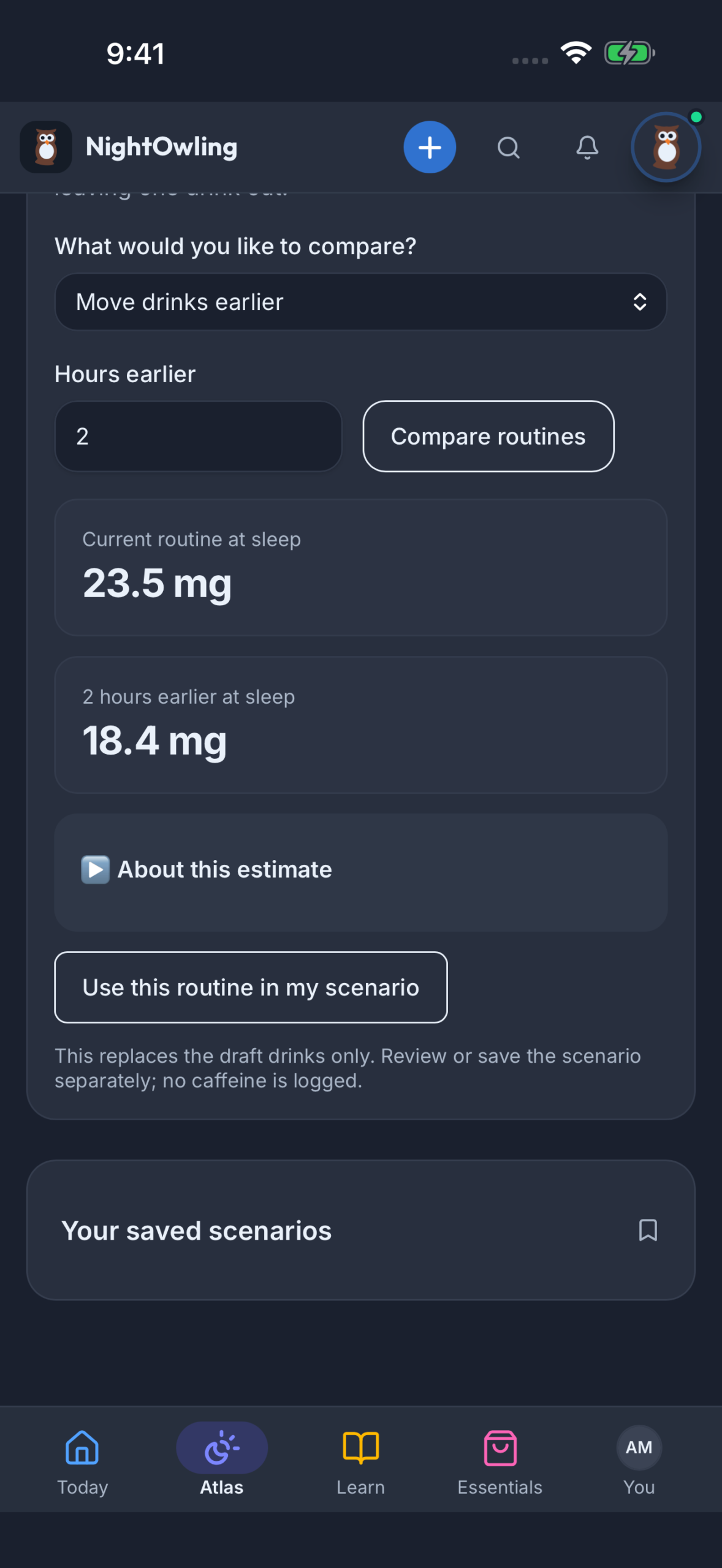
A coffee routine to compare.
Explore another drink or timing, compare estimated caffeine remaining at planned sleep, and keep a scenario to revisit.
Explore planning tools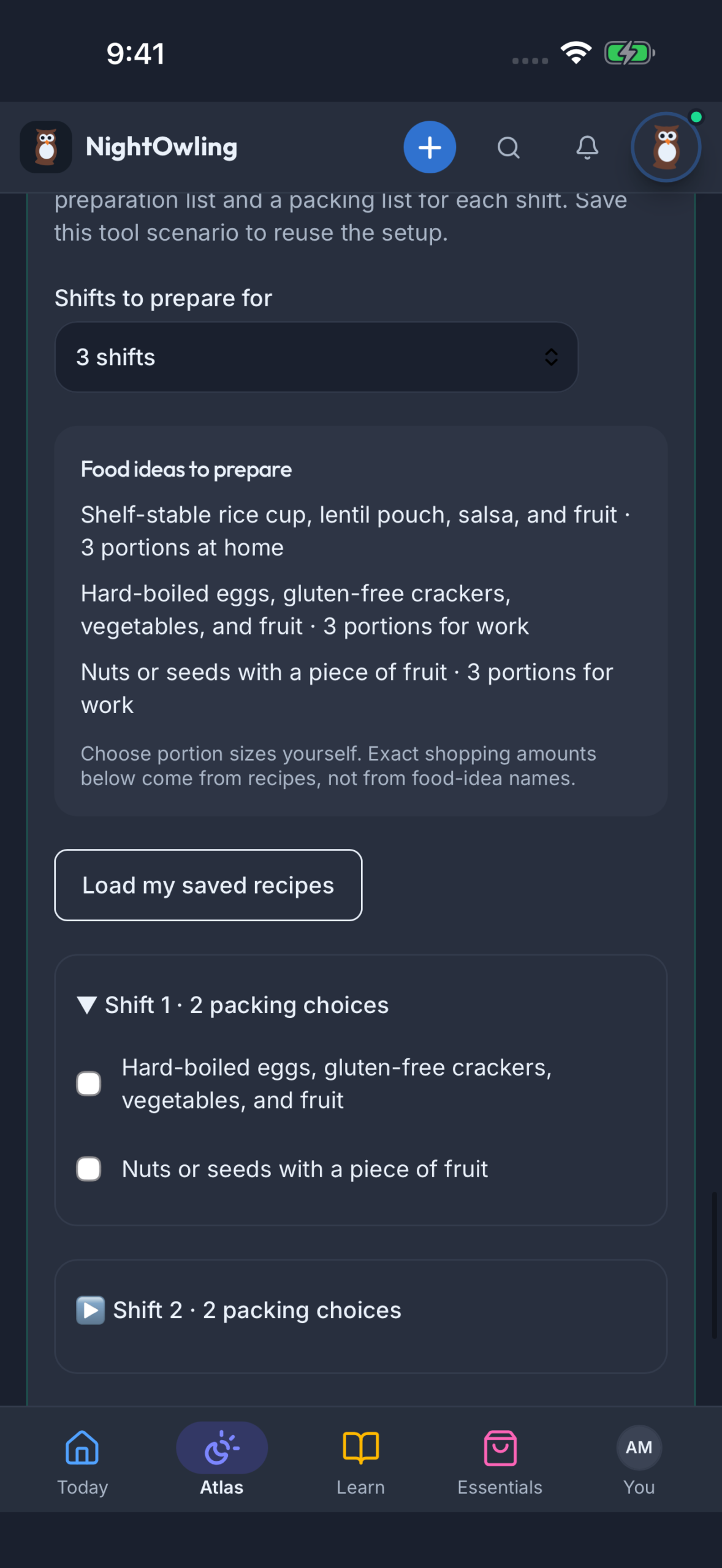
Several shifts, ready together.
Reuse recipes, prepare a shopping and food-preparation list, and build a packing checklist for each shift.
Explore meals and loggingActual app screens with example data. Select a screen to enlarge it.
Workplace access
Make the rollout part of the program.
Agree the scope
Choose the workforce, program elements and app access to include.
Introduce the app
Bring employees in through your organization’s invitation and onboarding.
Connect the learning
Pair app access with workshops, resources or Essentials so the pieces support the same priorities.
Useful to know
Your questions, answered.
Can employees see the app before we talk?
Yes. The full app tour shows current screens and features, with links into each part of the product. Screens use example data.
How is workplace access different from an individual subscription?
Workplace access follows your organization’s program and invitation. We agree included access during scoping. The individual plan comparison is available on the app page.
Do employees need a wearable?
No. Employees can start with shifts and manual logs. The app tour explains phone and wearable connections and the plans they belong to.
Keep exploring
Bring the pieces together.
Build your program
See how NightOwling fits your team.
Tell us about your workforce, shift patterns and the support you want to put in place.